
Text Animation Letter by Letter
If you’re just trying to implement the effect, you can buy a finished class for this

Ever tried making a text apear by making each letter coming on the screen one by one, and ended up with something likes this?
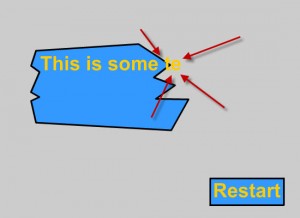
Read on and find out how to fix it!
We’re going to start by making a new .fla file, then make a dynamic texfield with multiline set to true and call that textF. I made a background for mine, so it ends up looking like this:
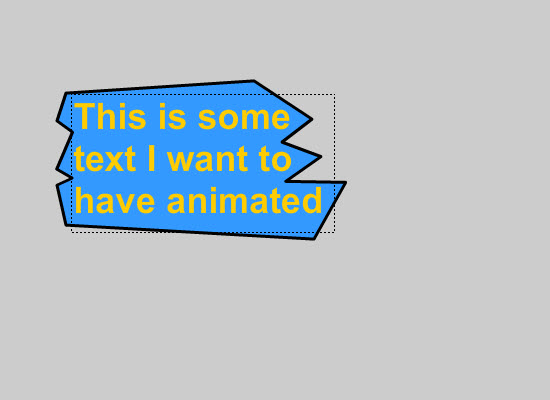
Lets start by making the normal animation that only works okay
Lets start off by making the basic setup with:
– a variable holding the text (when that is set in init() we remove the text we can see on the screen)
– a veariable telling us how far we are in the text right now
– an init funtion (init is just an abbreviation for initialize) that will reset the text and how far we have got in the text, and add a event listener.
– a loop executed for every frame (my framerate is 12)
package { import flash.display.MovieClip; import flash.events.Event; import flash.text.TextField; public class MainTextfieldAnimation extends MovieClip { public var allTheText:String; public var howFarInTheText:int; public function MainTextfieldAnimation() { allTheText = textF.text; init(); } public function init():void { howFarInTheText = 0; textF.text = ""; this.addEventListener(Event.ENTER_FRAME, masterLoop); } } } |
Now lets put something in our loop:
public function masterLoop(event:Event):void { textF.appendText(allTheText.charAt(howFarInTheText)); howFarInTheText ++; } |
Now this will just go on for ever, when howFarInTheText reaches a higher value than there are letters, it will just add a blank letter. So lets add a function removing the event listener:
public function animationFinished():void { if (this.hasEventListener(Event.ENTER_FRAME)) { this.removeEventListener(Event.ENTER_FRAME, masterLoop); } } |
This is just checking if there is an even listener – if not, we can’t remove it.
Now we got to figure out when to execute this function, so add this to the first part of the masterLoop function:
if (howFarInTheText == allTheText.length - 1) { animationFinished(); return; } |
The reason we need to subtract 1 from the length is that the first letter will come at allTheText.charAt(0), this mean it is zero-based. The length parameter of the string is not zero based, therefore we need to substract it by 1.
Here is it for a test (i know the framerate is real low, don’t worry, just read on – and you probably have to press the restart button by now)
So this pretty much works great. But there is one thing that I’m not happy with. We “waste” one fram typing all the spaces in the text. That doesn’t look too god to me – this was also the reason I made the framerate so low, else it’s harder to see. Here is how to fix it (add it to the end of the masterLoop function)
if (allTheText.charAt(howFarInTheText) == " " && howFarInTheText != allTheText.length - 1) { textF.appendText(allTheText.charAt(howFarInTheText)); howFarInTheText ++; } |
So here is the final code for the normal way to do this (if you want to see it you have to uncollapse it by clicking the little arrow):
package { import flash.display.MovieClip; import flash.events.Event; import flash.text.TextField; public class MainTextfieldAnimation extends MovieClip { public var allTheText:String; public var howFarInTheText:int; public function MainTextfieldAnimation() { allTheText = textF.text; init(); } public function init():void { howFarInTheText = 0; textF.text = ""; this.addEventListener(Event.ENTER_FRAME, masterLoop); } public function masterLoop(event:Event):void { if (howFarInTheText == allTheText.length - 1) { animationFinished(); return; } textF.appendText(allTheText.charAt(howFarInTheText)); howFarInTheText ++; if (allTheText.charAt(howFarInTheText) == " " && howFarInTheText != allTheText.length - 1) { textF.appendText(allTheText.charAt(howFarInTheText)); howFarInTheText ++; } } public function animationFinished():void { if (this.hasEventListener(Event.ENTER_FRAME)) { this.removeEventListener(Event.ENTER_FRAME, masterLoop); } } } } |
You can check it out here (press the restart button):
The problem is this:
First we see this:
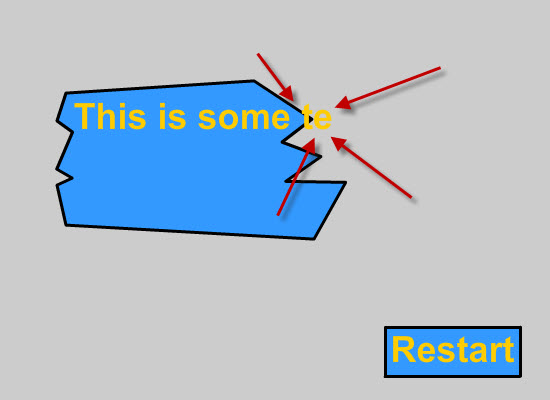
The next frame we see this:
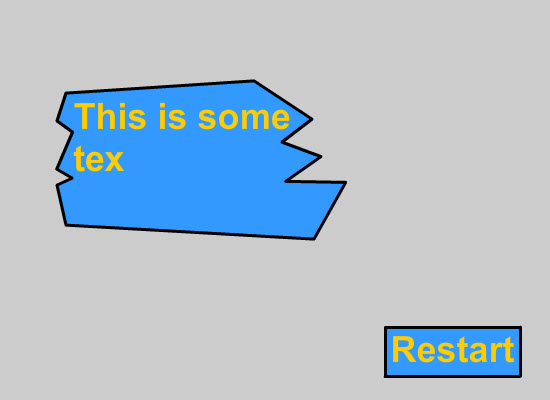
So the text jumps down a line and that just looks crappy.
So here is how we fix it:
The thing we’re going to do is split the text up in lines, so we will only write the letters from one line at one time. When we finished putting all the letters from one line, we go to the next one.
I’ve just put the final code for the good way of doing it here, as it’s basicly the same principles beeing used. This time we just need to go though an array (containing each line) to get our letters:
package { import flash.display.MovieClip; import flash.events.Event; import flash.text.TextField; public class MainTextfieldAnimation extends MovieClip { public var textLinesArray:Array; public var howFarInTheText:int; public var howFarInLines:int; public function MainTextfieldAnimation() { textLinesArray = new Array(); for (var i:int = 0; i < textF.numLines - 1; i++) { textLinesArray.push(textF.getLineText(i)); } init(); } public function init():void { howFarInTheText = 0; howFarInLines = 0; textF.text = ""; this.addEventListener(Event.ENTER_FRAME, masterLoop); } public function masterLoop(event:Event):void { if (howFarInTheText == textLinesArray[howFarInLines].length - 1) { if (howFarInLines == textLinesArray.length-1) { animationFinished(); return; } howFarInTheText = 0; howFarInLines ++; textF.appendText("\n"); } textF.appendText(textLinesArray[howFarInLines].charAt(howFarInTheText)); howFarInTheText ++; if (textLinesArray[howFarInLines].charAt(howFarInTheText) == " " && howFarInTheText != textLinesArray[howFarInLines].length - 1) { textF.appendText(textLinesArray[howFarInLines].charAt(howFarInTheText)); howFarInTheText ++; } } public function animationFinished():void { if (this.hasEventListener(Event.ENTER_FRAME)) { this.removeEventListener(Event.ENTER_FRAME, masterLoop); } } } } |
and here we have a nice result (press the restart button):

